
Ford Ecosport: Information and Entertainment System - General Information / Removal and Installation - Cellular Phone Antenna Cable
Ford Ecosport 2014-2026 Service and Repair Manual / Information and Entertainment Systems / Information and Entertainment System - General Information / Removal and Installation - Cellular Phone Antenna Cable
Removal
NOTE: Removal steps in this procedure may contain installation details.
NOTE: The original equipment cellular phone antenna cable is part of the wiring harness and cannot be removed. This procedure refers to replacement of the cable only by overlaying the cable.
-
Remove the RH front seat.
Refer to: Front Seat (501-10A Front Seats, Removal and Installation).
-
Position aside the carpet flap.
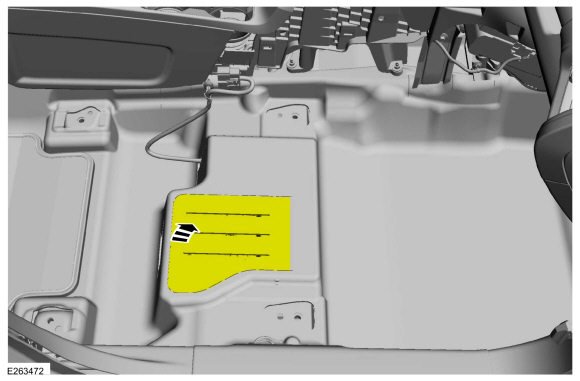 |
-
Position the front door weatherstrip aside, release the clips and remove the RH front scuff plate trim panel.
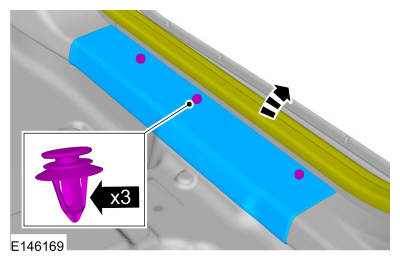 |
-
Remove the RH loadspace trim panel.
Refer to: Loadspace Trim Panel (501-05 Interior Trim and Ornamentation, Removal and Installation).
-
Lower the headliner assembly.
Refer to: Headliner - Lowering (501-05 Interior Trim and Ornamentation, Removal and Installation).
-
Disconnect the cellular phone antenna cable from the TCU .
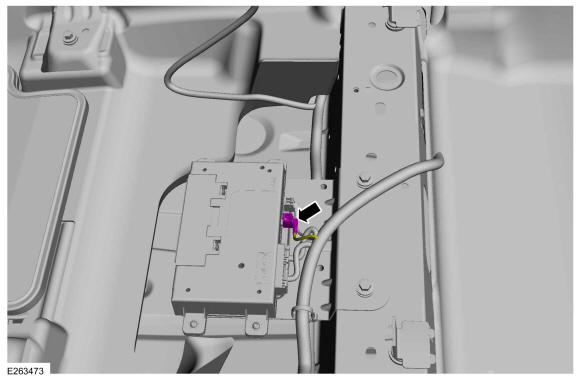 |
-
Disconnect the cellular phone antenna cable from the satellite antenna.
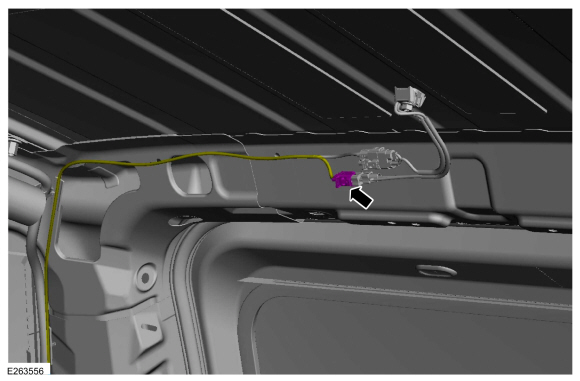 |
Installation
-
Cut the antenna cable ends flush with the wiring harness.
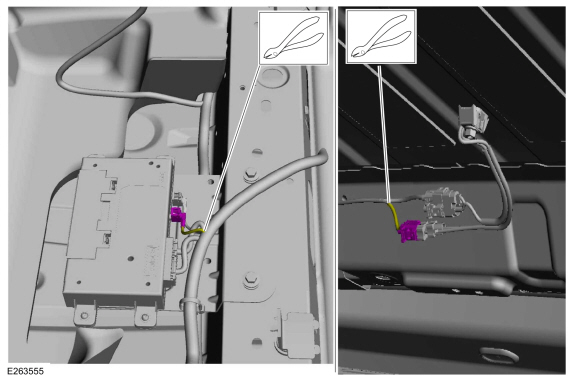 |
-
Overlay and secure with cable ties the new cellular
phone antenna cable to the wiring harness following the routing shown.
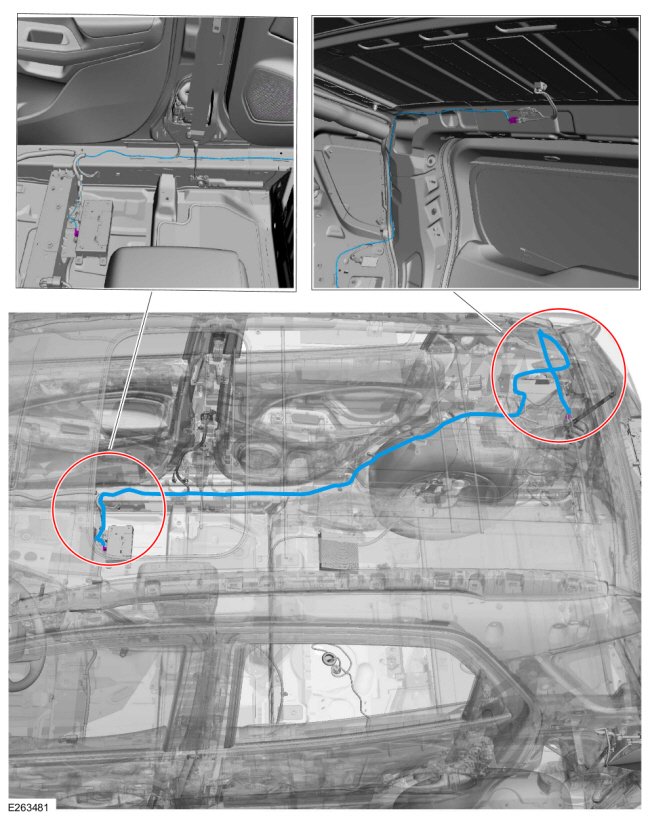 |
-
To install, reverse the removal procedure.
 Removal and Installation - Audio Unit Antenna Cable
Removal
NOTE:
Removal steps in this procedure may contain installation details.
NOTE:
The original equipment audio unit antenna cable is part of
the wiring harness and cannot be removed...
 Removal and Installation - FM2 Diversity Antenna Amplifier
Removal
NOTE:
Removal steps in this procedure may contain installation details.
FM2 diversity antenna amplifier
Remove the liftgate trim panel...
Other information:
Ford Ecosport 2014-2026 Service and Repair Manual: General Procedures - Elevation System Check
Check Turn the ignition ON (engine OFF). Set the parking brake. Place the gearshift in REVERSE (R) for rear parking aid sensors. Place the gearshift in DRIVE (D) for front parking aid sensors...
Ford Ecosport 2014-2026 Service and Repair Manual: Removal and Installation - Rear Floor Panel
Special Tool(s) / General Equipment Scraper for Straight Edges Spherical Cutter Hot Air Gun 8 mm Drill Bit MIG/MAG Welding Equipment Spot Weld Drill Bit Locking Pliers Materials Name Specification Seam SealerTA-2-B, 3M™ 08308, LORD Fusor® 803DTM - Removal NOTE: To minimize the intrusiveness..
Categories
- Manuals Home
- 2nd Gen Ford Ecosport Service Manual (2014 - 2026)
- Description and Operation - Evaporative Emissions - System Operation and Component Description
- Description and Operation - Jacking and Lifting - Overview
- General Procedures - Transmission Fluid Level Check
- General Procedures - Battery Charging
- Removal and Installation - Roof Rail
Description and Operation - Health and Safety Precautions
General Service Warnings
Review carefully the information below before beginning any repair. Following these warnings is a list of specific system warnings that must be reviewed before beginning work on any listed system.
 WARNING:
Wear eye and ear protection when servicing a vehicle.
Failure to follow this instruction may result in serious personal
injury.

Copyright © 2026 www.foecosport2.com